
Job alerts & recommendations
Get matched roles in your inbox and a personalised “for you” feed.
At Broxer, we understand how important it is to find the right job. With our Job Alerts and Recommendations features, you can receive personalized job suggestions directly in your inbox and view tailored jobs on your feed.
Create job alerts
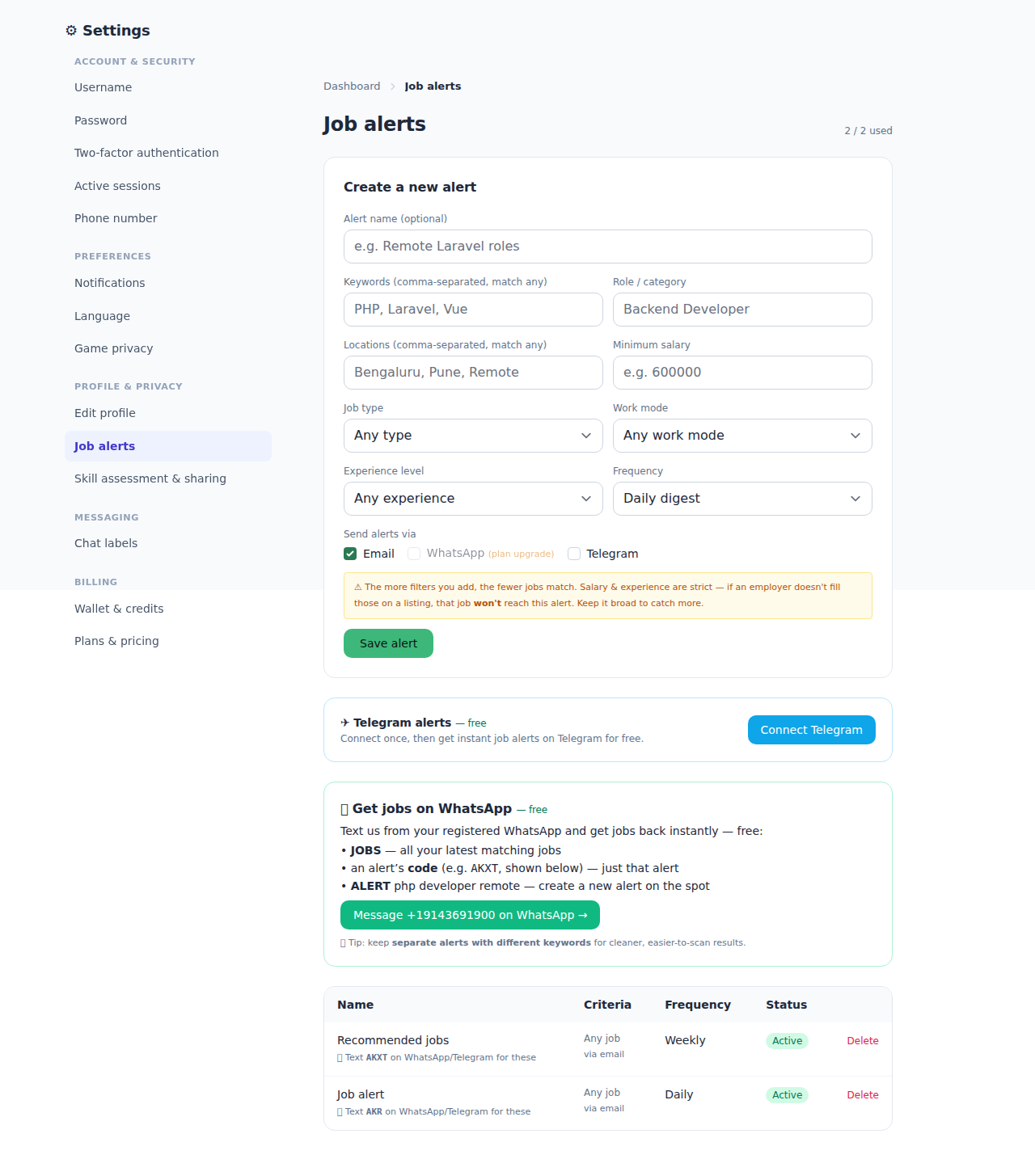
Job alerts are a powerful tool that allows you to stay informed about new job opportunities based on your preferences. By creating saved-search alerts, you can receive notifications when roles that match your criteria are posted.
- Log in to your Broxer account.
- Navigate to the 'Job Alerts' section. You can find this in your profile menu.
- Click on 'Create New Alert.' This will open a form where you can specify your job criteria.
- Set your criteria. Enter job title, location, industry, and any other filters that apply.
- Choose your channels. Select whether you want to receive alerts via email, SMS, or both.
- Set the frequency. You can choose to receive notifications immediately, daily, or weekly.
- Save your alert. Click on the 'Save' button to activate your job alert.
Tip: Use specific keywords related to your skills to get the most relevant job alerts.
Common Gotcha: If you don't see alerts in your inbox, check your spam folder or ensure that your email preferences are correctly set in your account settings.
Recommended for you
Our 'Recommended for You' feature is designed to provide you with personalized job suggestions based on your activity on the platform. By analyzing your job searches, applications, and profile, we can match you with roles that suit your interests and qualifications.
- Keep your profile updated. Make sure your skills, experience, and job preferences are current.
- Engage with job postings. Click on job listings that interest you to help refine future recommendations.
- Apply for jobs. The more applications you submit, the better our system understands your preferences.
- Provide feedback. If a recommendation doesn’t meet your expectations, you can rate it, helping us improve future suggestions.
Tip: Regularly reviewing and updating your job interests can enhance the accuracy of your personalized recommendations.
Common Gotcha: If you notice irrelevant job recommendations, it may be due to an incomplete profile or outdated preferences. Ensure that all information is accurate for the best experience.