
Plans, credits & billing
Understand free vs paid, subscriptions, credits and your wallet.
Welcome to the Broxer help guide on "Plans, credits & billing". Here, you will find detailed information on the various plans available, how to manage your wallet, understand refunds, and how to cancel subscriptions. Whether you're a job seeker or an employer, this guide will help you navigate your options efficiently.
Plans & add-ons

Broxer offers both free and paid plans to cater to different user needs. Understanding the differences between these plans can help you choose the right one for your requirements.
- Free Plan: This plan is accessible to all users and includes basic features such as job browsing and applying for jobs.
- Paid Plans: These plans offer additional features, such as unlimited résumé views, CV downloads, and enhanced visibility for job postings.
- Subscriptions vs One-time Add-ons: Subscriptions allow ongoing access to premium features for a recurring fee, while one-time add-ons can be purchased when needed without commitment.
To choose the right plan, consider your needs as either a candidate or an employer and evaluate how often you will use premium features.
Tip: Regularly review your plan and usage to see if an upgrade or downgrade is necessary based on your changing needs.
Common Gotcha: Some users may mistakenly assume that free plans have all features indefinitely; essential upgraded features are blocked unless the paid plan is activated.
Credits & wallet
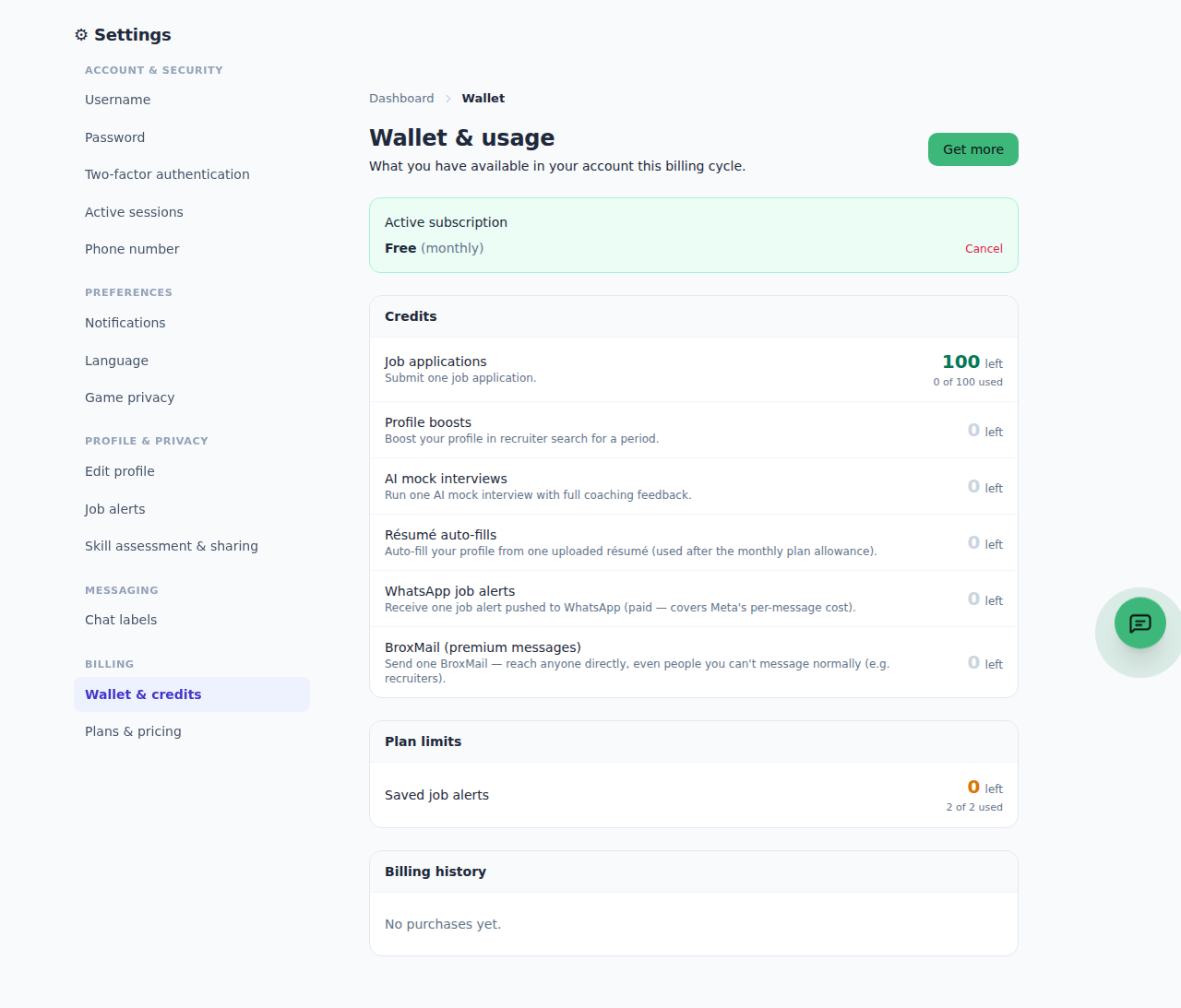
Your Broxer wallet is a convenient feature that allows you to buy and manage credits for various services. Understanding how to effectively use your wallet can enhance your experience on the platform.
- Buying Credits: Credits can be purchased for résumé views, CV downloads, and job postings. Simply go to your wallet and select the credit pack that suits your needs.
- Using Credits: When you access premium features like job posting or downloading a résumé, the corresponding credits are automatically deducted from your wallet.
- Managing Your Wallet: You can view your balance and transaction history at any time in your account wallet section.
Maintaining a healthy balance in your wallet ensures a smooth experience when accessing premium features.
Tip: Regularly check your wallet balance before posting jobs or accessing premium features to avoid interruptions.
Common Gotcha: Credits are deducted immediately upon use, so be mindful of your wallet balance to prevent unexpected notifications.
Refunds
It's important to understand Broxer's refund policy to avoid confusion regarding purchases and transactions.
- Final and Non-Refundable Purchases: All purchases, including subscriptions, plan upgrades, and credit packs, are final and cannot be refunded once completed.
- Exceptions: The only exceptions to this policy are genuine billing errors reported within 7 days, such as duplicate charges or unauthorized payments, which will be handled as corrections.
- Instant Access: Access and credits are delivered instantly upon purchase, making it impossible to issue refunds once the transaction is complete.
Understanding this policy will help you make informed purchasing decisions on the platform.
Tip: Always double-check your selections before finalizing any purchase to ensure you are making the right choice.
Common Gotcha: Users may overlook the non-refundable nature of purchases and expect refunds after realizing they don’t need a service.
Cancelling a subscription
If you decide to cancel your subscription, the process is straightforward, and there are no penalties involved.
- Cancel Anytime: You can cancel your subscription at any time without a cancellation fee.
- Stopping Auto-Renewal: Cancelling your subscription will stop the auto-renewal feature, ensuring that your payment method will not be charged after the current billing cycle ends.
- Access Until Cycle Ends: You will retain access to all paid features until the end of your current billing cycle, after which your account will revert to the free tier.
- How to Cancel: You can cancel from the billing area within your wallet or by contacting Broxer support for assistance.
Understanding cancellation will help you manage your subscriptions effectively without worrying about unexpected charges.
Tip: Set reminders for yourself a few days before your billing cycle ends to decide whether to continue with your subscription or switch to a free plan.
Common Gotcha: Users might forget that the current payments are non-refundable; cancelling only prevents future charges but does not refund the current cycle.