
Skill assessments explained
Prove your skills with an AI assessment and earn a skill band badge.
Welcome to your guide on skill assessments! This detailed overview will help you understand how to prove your skills with an AI-driven assessment and earn valuable skill band badges that enhance your profile on Broxer.
What it is & why
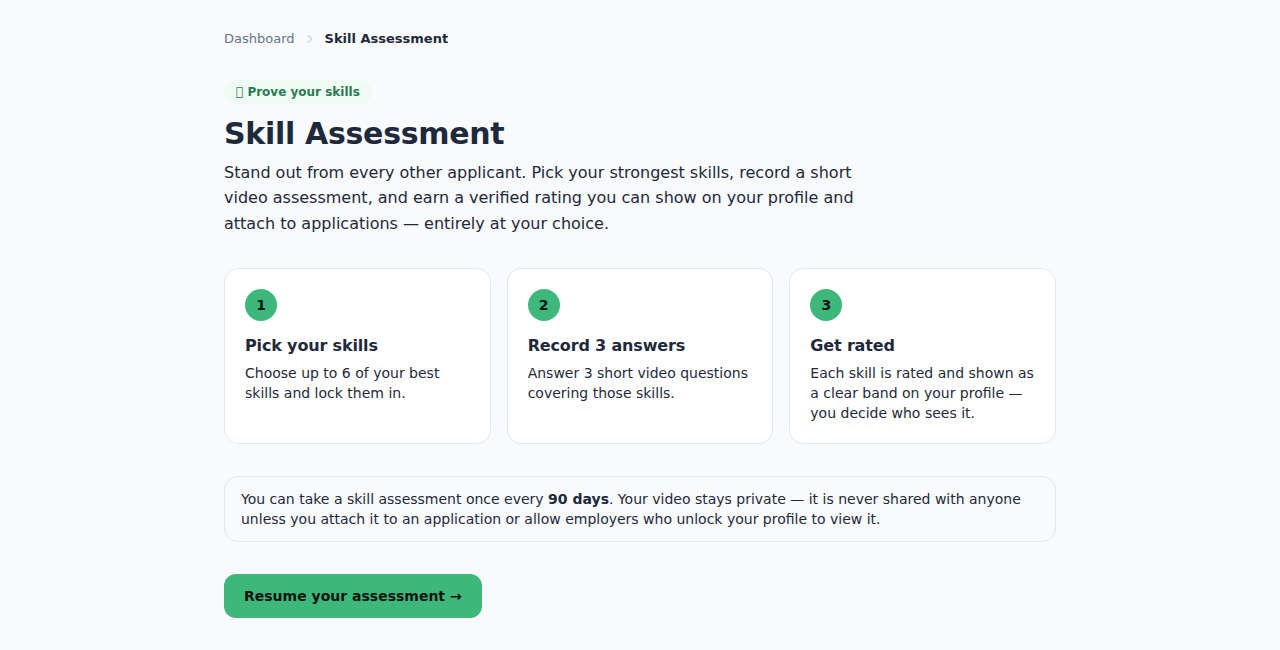
A skill assessment is a personalized test designed to evaluate your proficiency in specific areas relevant to your desired job profile. By successfully completing an assessment, you can earn skill band badges that showcase your capabilities to potential employers. These badges help you stand out among other candidates in a competitive job market.
- Why take an assessment? It helps validate your skills and gives employers confidence in your abilities.
- How do badges work? Skill band badges are categorized by proficiency levels, indicating your expertise for each skill assessed.
Tip: Choose skills that are relevant to the jobs you are applying for to maximize the impact of your assessment result.
Common Gotcha: Don’t rush through assessments. Quality answers yield better results, benefiting your profile credibility.
How to take one
Taking a skill assessment is straightforward. Here’s how to do it:
- Select the skill or skills you want to assess from the available options.
- Prepare to answer recorded questions that will be posed to you during the assessment.
- Keep an eye on the time limits for responses; typically, you’ll have a few minutes for each question.
Tip: Practice speaking and answering questions clearly to make a strong impression during the recordings.
Common Gotcha: Technical glitches can happen. Make sure your device is working well before starting the assessment to avoid time wastage.
Proctoring & requirements
To maintain integrity during assessments, the following proctoring requirements must be met:
- Internet Speed Check: Ensure you have a stable and fast internet connection to prevent disruptions.
- Fullscreen Mode: The assessment must be taken in fullscreen mode to eliminate distractions.
- Screen Share: You may need to allow screen sharing to verify that no unauthorized materials are used.
- Tab-Switch Rules: Switching tabs during the assessment will lead to an automatic disqualification.
Tip: Test your internet speed and browser settings a day before your assessment to ensure a smooth experience.
Common Gotcha: Forgetting to check permissions for screen sharing can cause delays; make sure this is set up ahead of time.
Cooldown & retakes
Understanding the retake policy is crucial:
- Retake Cooldown: After taking an assessment, you must wait for a cooldown period before attempting again, typically 7 days.
- Free Retake: If your results indicate low confidence in your answers, you qualify for a free retake.
Tip: Use the cooldown period to study and improve on areas where you felt less confident.
Common Gotcha: Planning to retake? Remember that cooldown periods are strictly enforced, so set your retake date accordingly.
Unlocking with Broxcoins
To unlock or activate an assessment, you may use Broxcoins, which can be earned or purchased. Here’s how it works:
- Select the assessment you wish to take.
- Follow the prompts to pay with your Broxcoins balance or through a subscription plan.
Tip: Regularly check your Broxcoins balance to avoid being caught off guard with last-minute fees.
Common Gotcha: Ensure your Broxcoins are active and check the assessment costs before committing to avoid unexpected expenses.