
Broxcoins & rewards
Earn Broxcoins, spend them in the shop, and activate what you buy.
Welcome to the Broxer help guide on Broxcoins and rewards! This guide will explain how to earn Broxcoins, spend them in our shop, and activate the items you purchase.
Earning Broxcoins
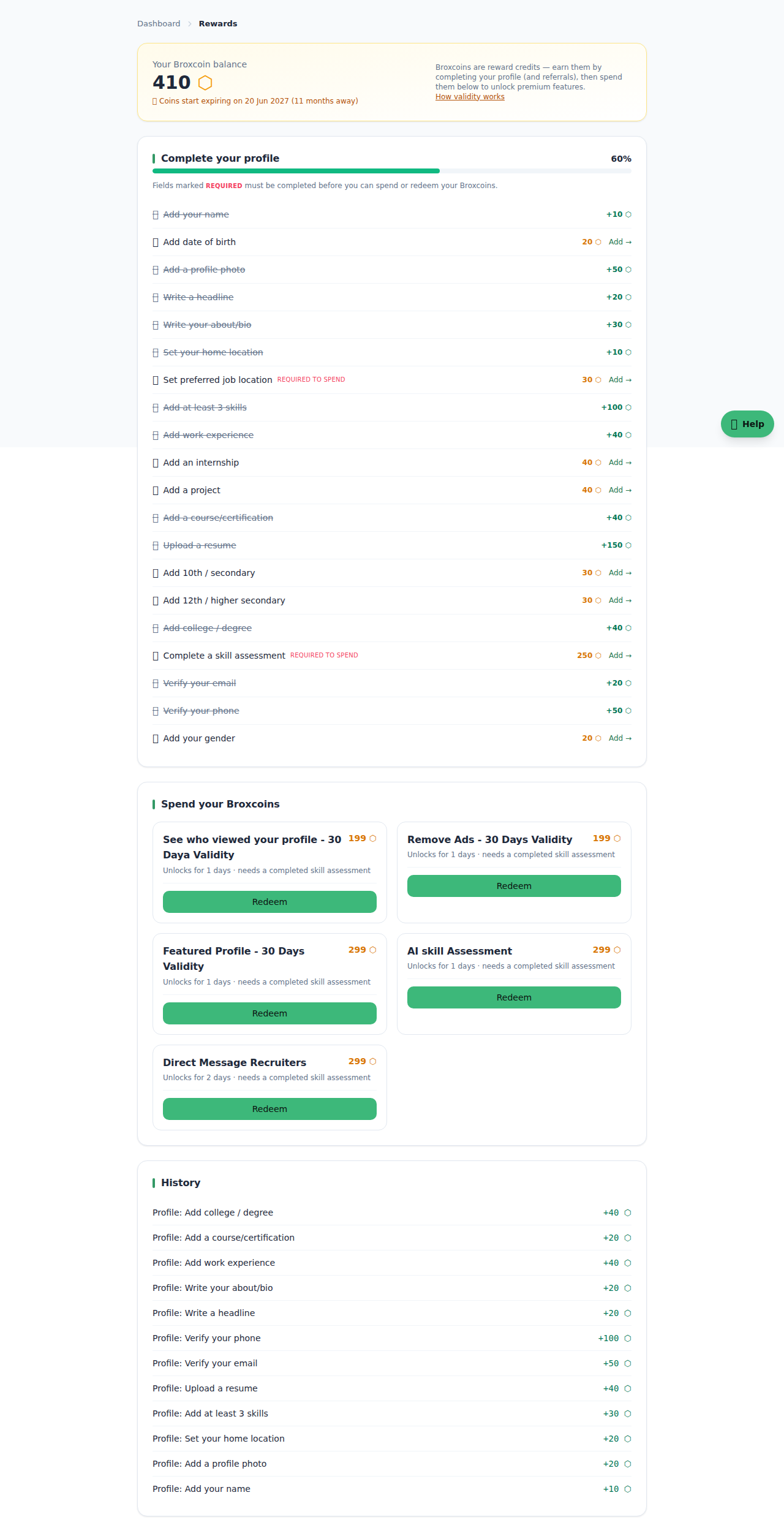
Broxcoins are a FREE reward currency that you can earn on the Broxer platform. They are not real money and cannot be purchased with cash. Understanding how to earn these coins will help you maximize your rewards.
- Complete your profile:
- Each completed field in your profile earns you Broxcoins. Make sure to fill out all sections thoroughly to maximize your earnings.
- Refer friends:
- Invite your friends to join Broxer. Each successful referral earns you additional Broxcoins once they register and complete their profile.
Tip: Always keep your profile updated. More completed fields mean more Broxcoins!
Common Gotcha: Remember that Broxcoins expire one year after you earn them, regardless of whether you spend them or not. For example, if you earned coins on January 1, 2025, they will expire on December 31, 2025.
The shop & requirements
The Broxer shop is where you can spend your earned Broxcoins on various items. It's important to note that the shop only displays items relevant to your account type.
- Access the shop from your dashboard:
- Log in to your Broxer account and navigate to the shop section.
- Check available items:
- As a candidate, you will only see items specifically for candidates, while employers will see employer-specific items. Some items may be visible to both types of accounts.
- Meet item requirements:
- Before purchasing, ensure you meet any requirements, such as having a completed skill assessment, a verified phone number or email, or a minimum profile completion percentage.
Tip: Regularly check the shop as new items may become available, and ensure your profile is up to date to avoid missing out!
Common Gotcha: If you attempt to purchase an item without meeting its requirements, you will receive a notification that you are not eligible, so be sure to review requirements beforehand.
Activate & validity
Once you have purchased an item in the shop, it’s essential to understand how to activate it and the validity of the purchase.
- Find your purchased item:
- Navigate to "Your items" in your wallet to view all items you have purchased.
- Activate the item:
- After purchase, the item will be in a PENDING state. Click the Activate button when you are ready to start using it.
Tip: Only activate the purchase when you are ready to use it, as the validity period starts immediately upon activation.
Common Gotcha: Purchased items do not activate automatically. You must manually activate them. Additionally, the item can never outlive the oldest coins used to pay for it, meaning it will expire at the earlier of its own validity period or one year from the oldest coins spent on it.